Before using OptimumDynamics you must enter your licensing information, you should have been given a license key with your purchase of OptimumDynamics. If you wish to purchase or obtain a trial key, please contact us at software@optimumg.com or by visiting us at our website
To add your license key
- Launch OptimumDynamics
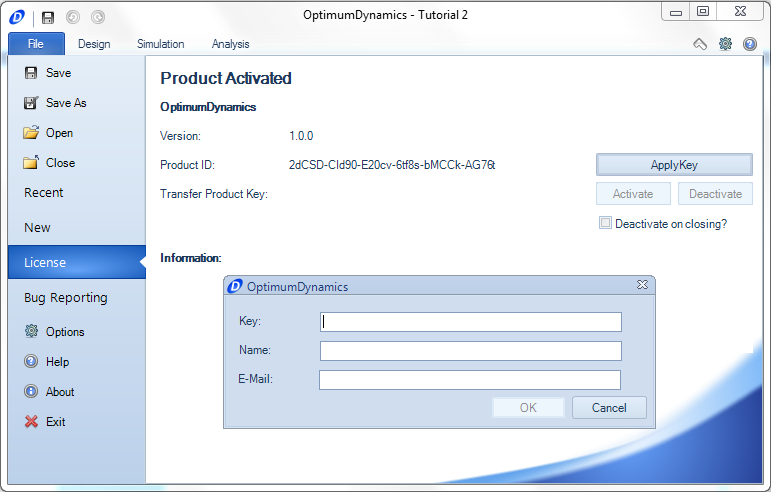
- The software will automatically launch to the File tab. Click on the License tab
- Click on the Apply Key button
- Enter a Key,Name, and Email
- If the supplied information is correct a green check box will appear
- Click on Okay to accept
OptimumDynamics will periodically check your licensing information every 90 days. There is a grace period of 5 uses if the license check fails.